About
The ECO Design System gives Swedol and Tools one shared way to design and build. Three tools work together.
- Storybook is where components are built, tested and shown live. Each component has variations to try and code to copy.
- Figma holds the design library: variables and UI components for prototypes and designs.
- This documentation explains when and how to use each foundation and component, with guidelines, specifications and code.
Together they keep design and code in step, so every digital platform looks and behaves the same.
Accessing Storybook
Open the Storybook UAT URL in your web browser.
https://test-acceptance--67b6063b450f52d85d87d37f.chromatic.com/
Navigating Storybook
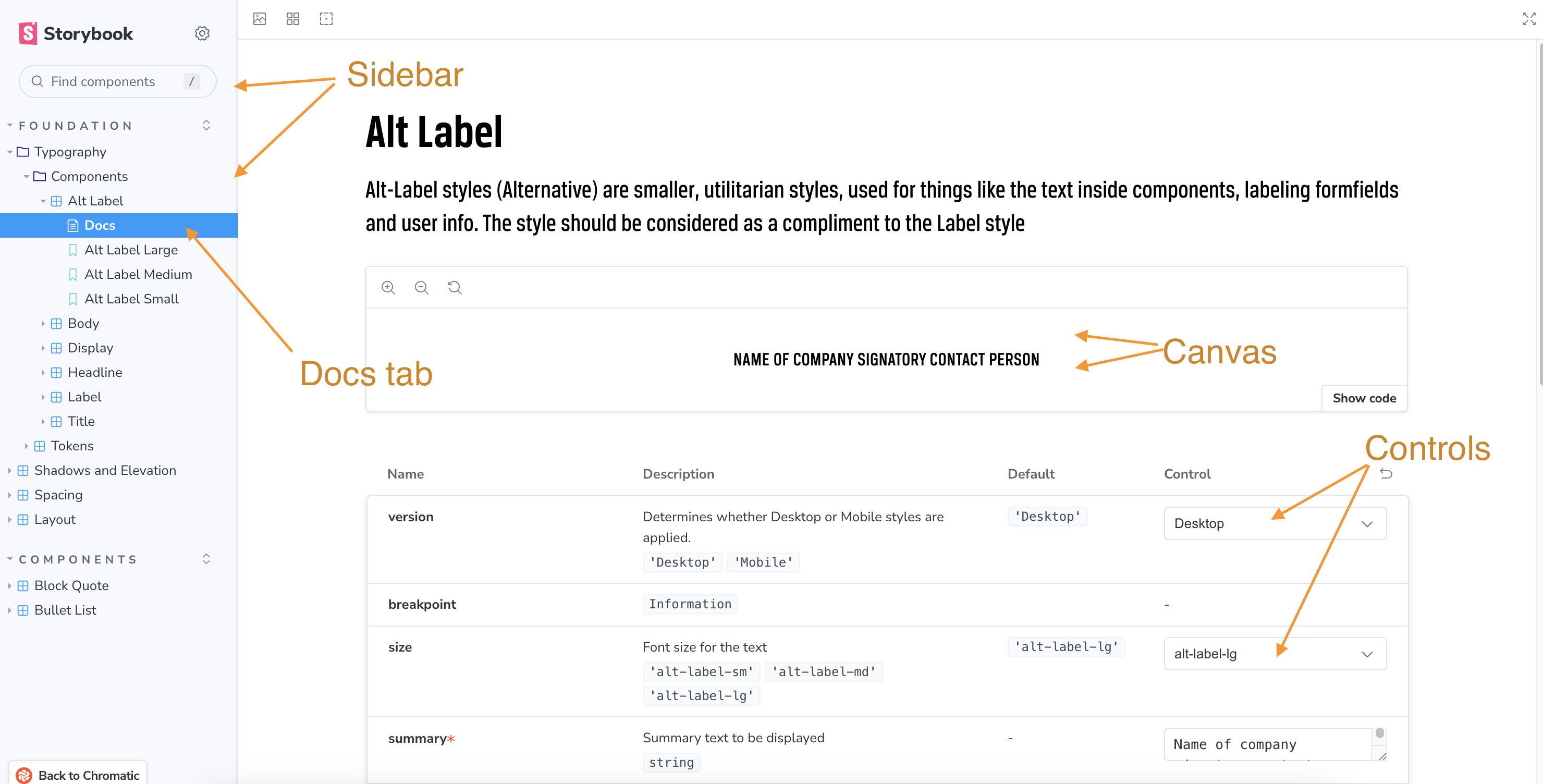
Storybook has four parts.
- Sidebar (left): all components, grouped by category.
- Canvas (main): the selected component, live.
- Controls (right): settings for the component’s properties, when available.
- Docs tab: usage examples and guidelines.
Finding components
There are two ways to find a component.
- Search in the search bar at the top of the sidebar.
- Browse the categories, where components are grouped by type, for example Buttons, Forms and Modals.
Using a component in your page
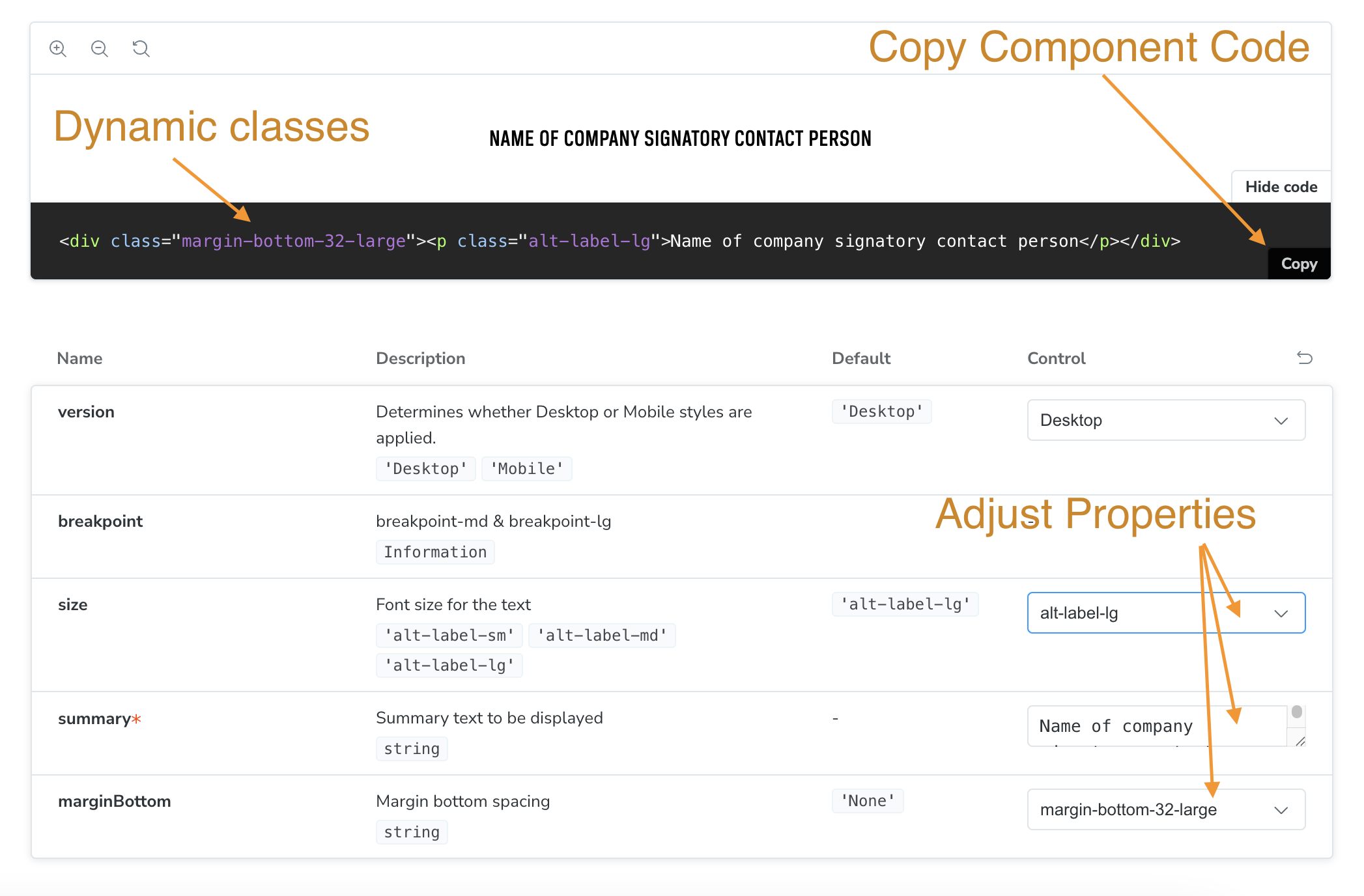
Set the component up in Storybook, then copy its code into the CMS.
- Set the controls to what you need, for example the bottom margin. The classes on the component update as you change them.
- Click “Show code” on the component, then “Copy”.
- Paste the code into your CMS page, for example in Storyblok or Magento CMS, and save.
Not sure which component to use? Read its guidelines in Components, or ask in the Slack channel.